Author: Nanj
https://tryhackme.com/r/room/contiransomwarehgh
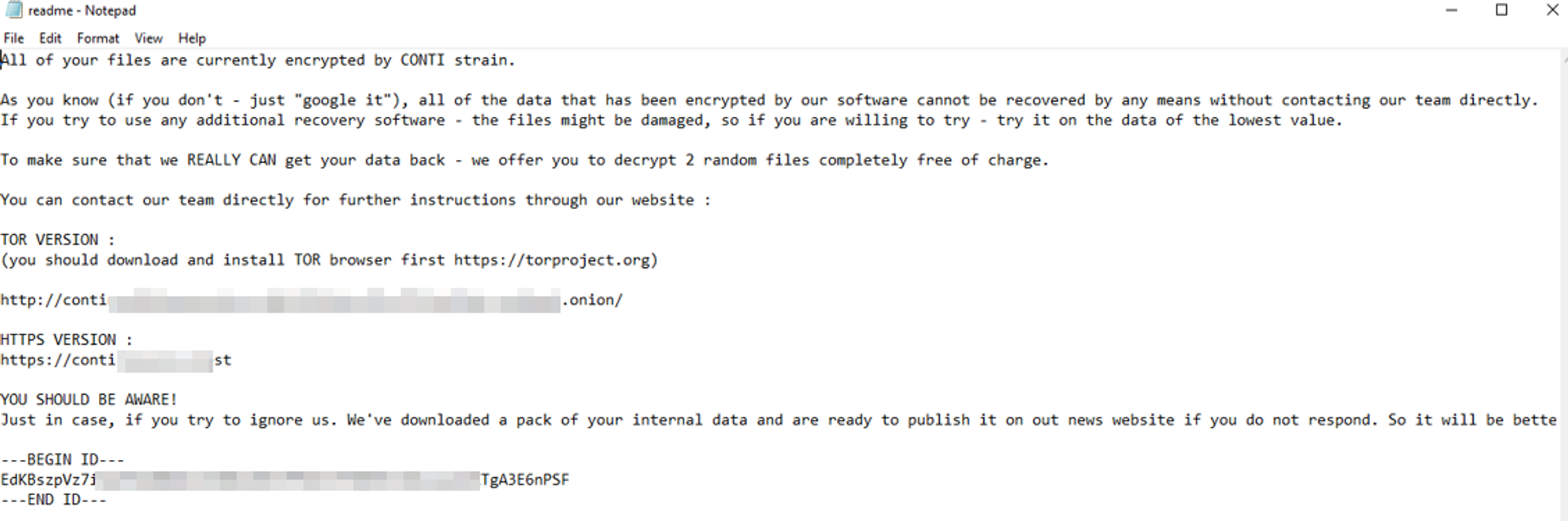
Some employees from your company reported that they can’t log into Outlook. The Exchange system admin also reported that he can’t log in to the Exchange Admin Center. After initial triage, they discovered some weird readme files settled on the Exchange server.
Below is a copy of the ransomware note:
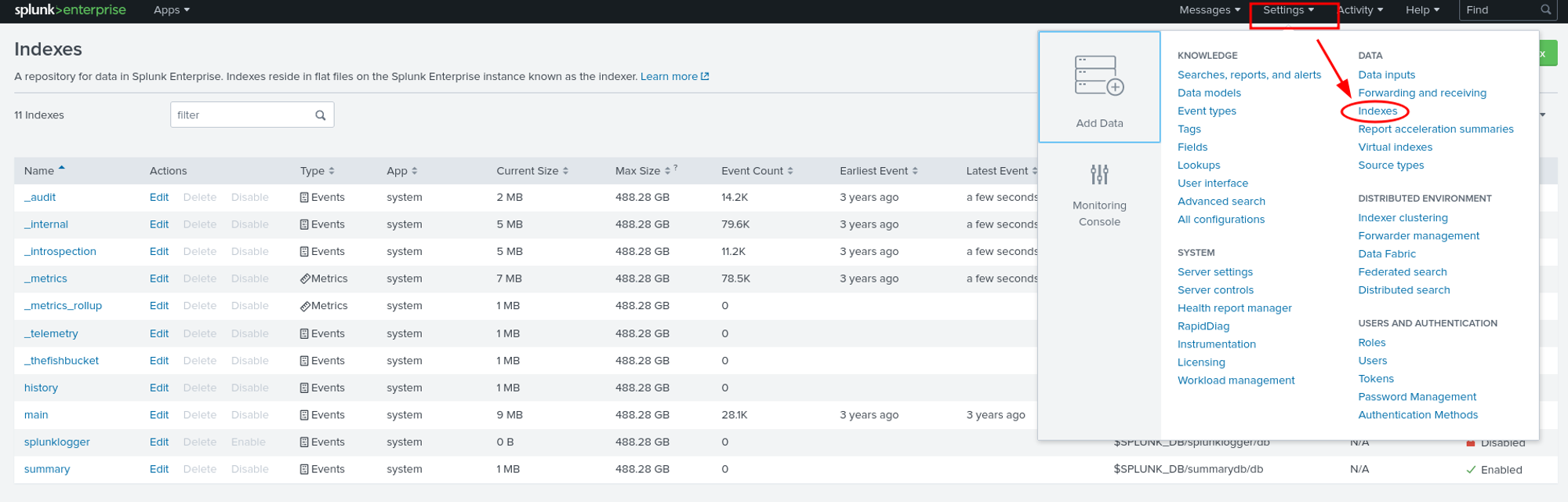
At the beginning of our investigation, we will first check which indexes or ingested logs are available in Splunk. To do this, we navigate to Settings > Indexes.
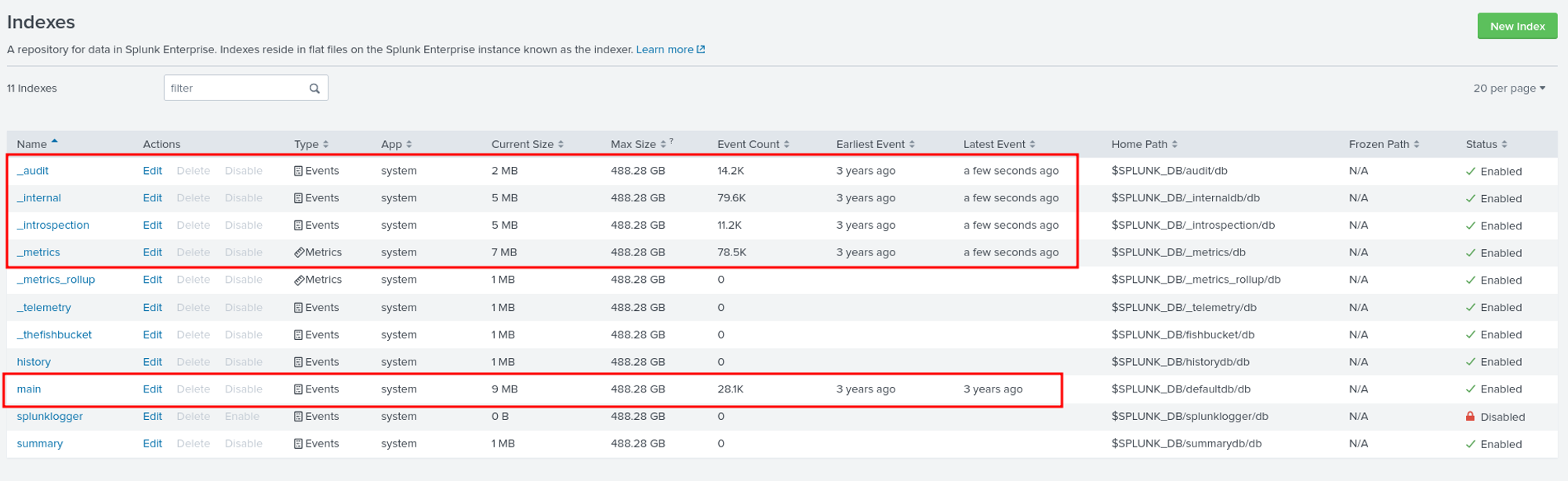
As we can see, we have five interesting indexes that we can examine.
Question 1: Can you identify the location of the ransomware?
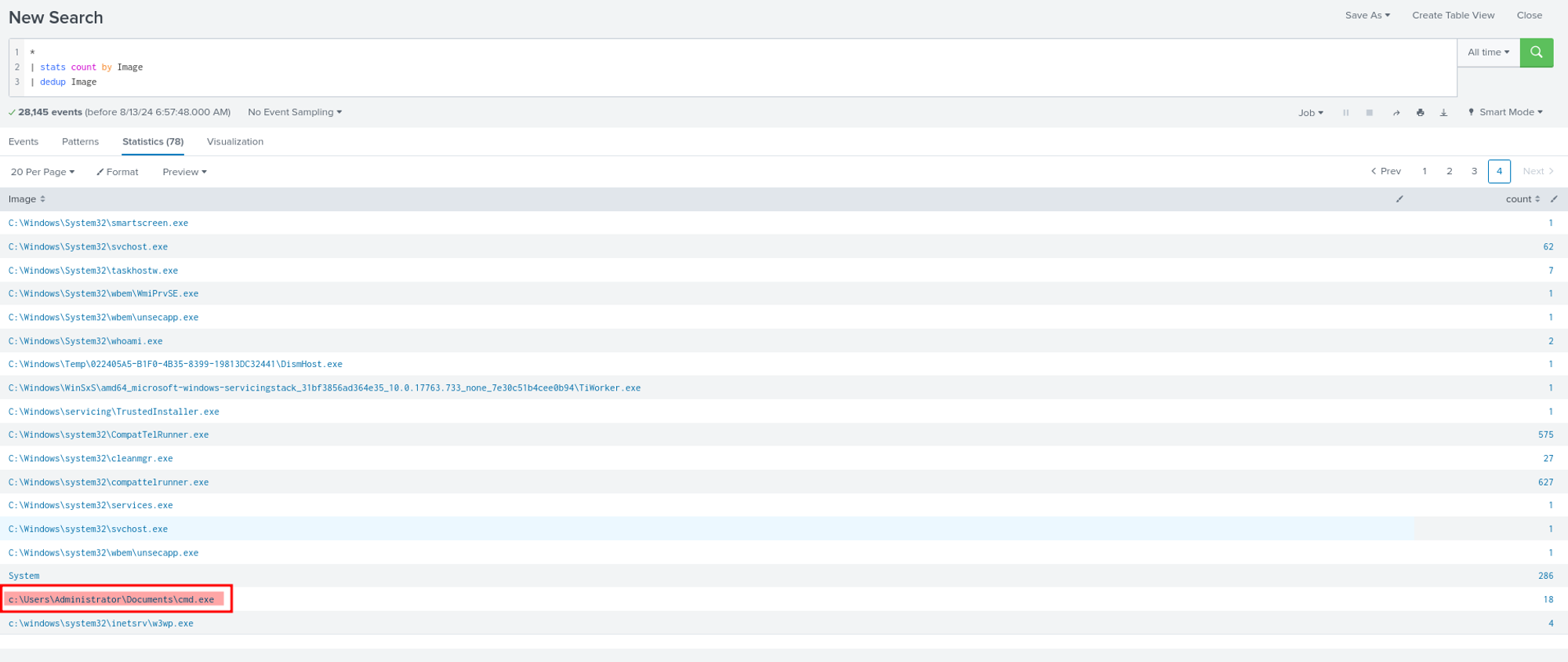
The interesting field for identifying the location of ransomware is ‘Image.’ We used stats to list all the Images and looked for anything suspicious. During our investigation, we found an unusual location for ‘cmd.exe,’ and indeed, it turned out to be the ransomware.
Question 2: What is the Sysmon event ID for the related file creation event?
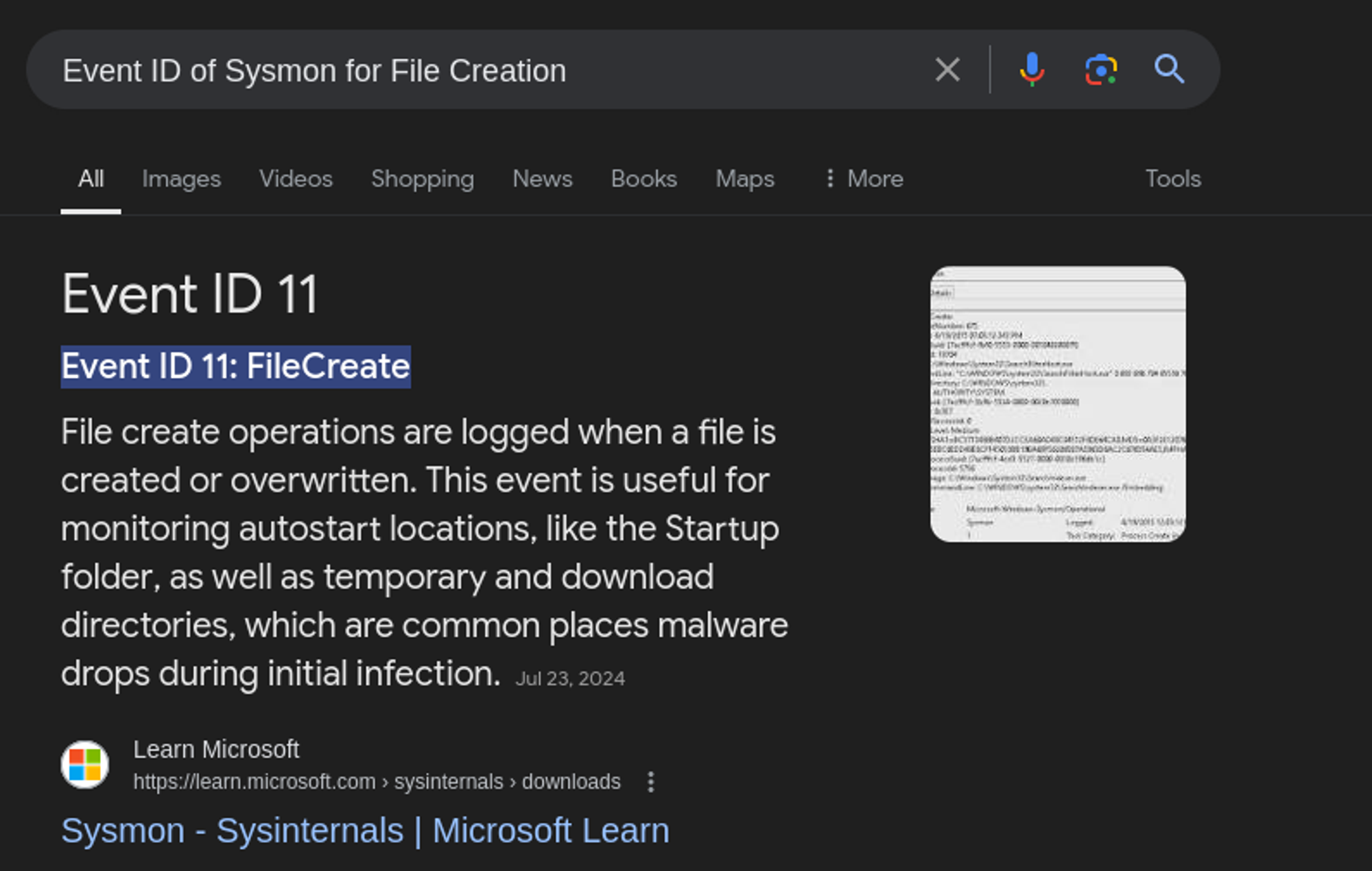
For this question, if we’re not familiar with Sysmon event IDs, we can simply use Google 😀
Question 3: Can you find the MD5 hash of the ransomware?
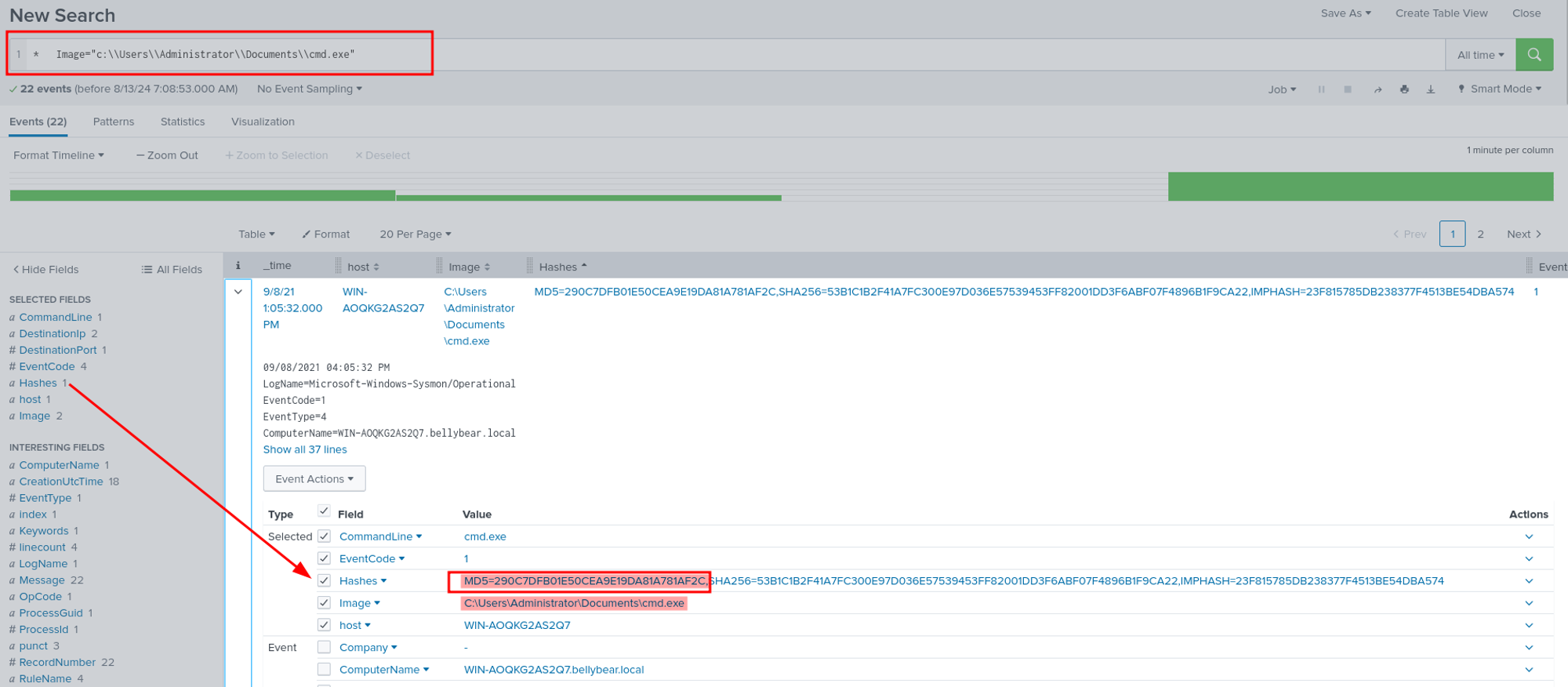
We can filter the ransomware we found in question number 1 and add the Hashes field so we can easily identify the MD5 hash of the ransomware. Using this search query, we can find the MD5 hash of the ransomware in the Hashes field.
Question 4: What file was saved to multiple folder locations?
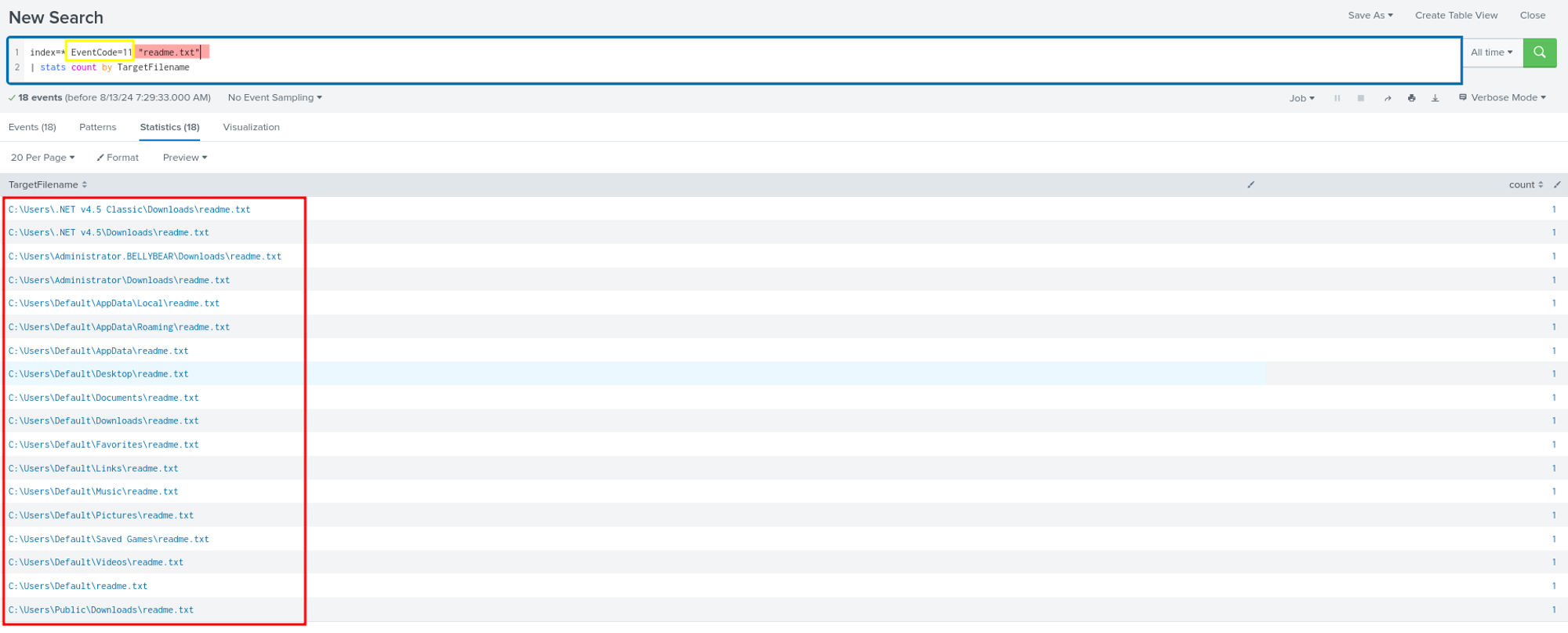
In response to the question about files being saved to multiple locations, we considered that this activity likely involves file creation. We used EventCode 11 to check for file creation activities. During our filtering, we identified an interesting field called TargetFilename. Through this field, we discovered that a large number of readme.txt files were created in different directories/locations.
Question 5: What was the command the attacker used to add a new user to the compromised system?
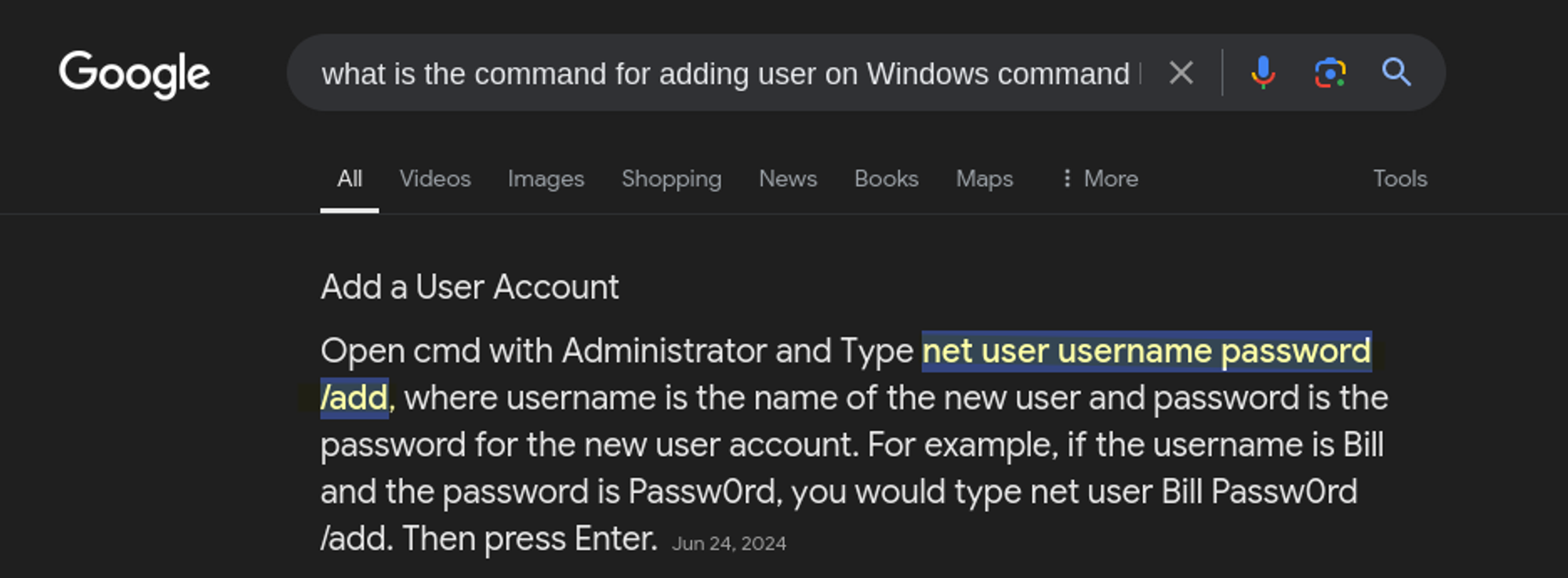
We have a clue that this machine is running Windows OS, so we can try to look for a command line related to adding a user. If you’re not sure how to add a user via the command line, you can always simply use Google to find out.
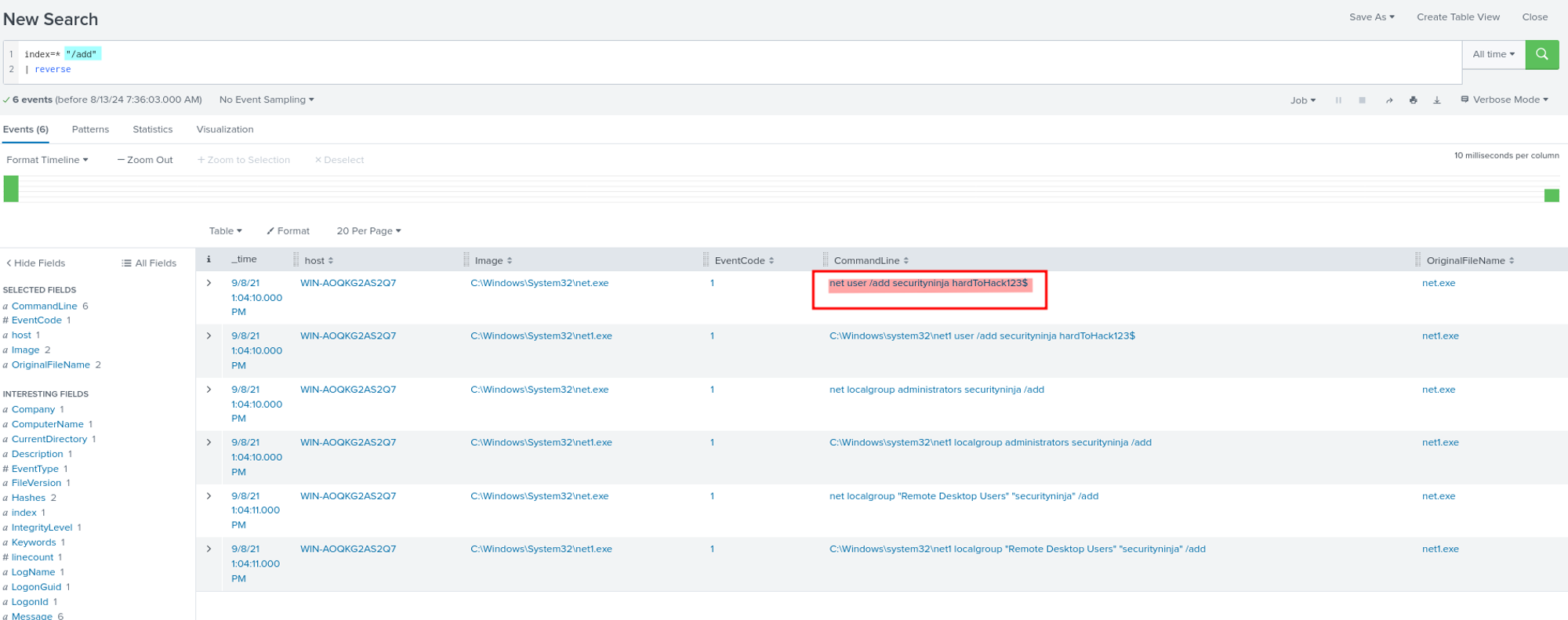
In Splunk, we can simply query /add to look for activities that contain this command. By adding this to our query, we can see multiple activities, not just adding a user, but also adding users to groups.
Question 6: The attacker migrated the process for better persistence. What is the migrated process image (executable), and what is the original process image (executable) when the attacker got on the system?
The question essentially asks us to identify a process injection attack, where the attacker has moved their malicious code from one process to another for better persistence or to evade detection. One effective way to identify this type of attack in Sysmon logs is by searching for EventCode 8, which specifically logs events where a CreateRemoteThread is detected—a common method used in process injection. Therefore, we checked EventCode 8 using the following query: index=* EventCode=8.
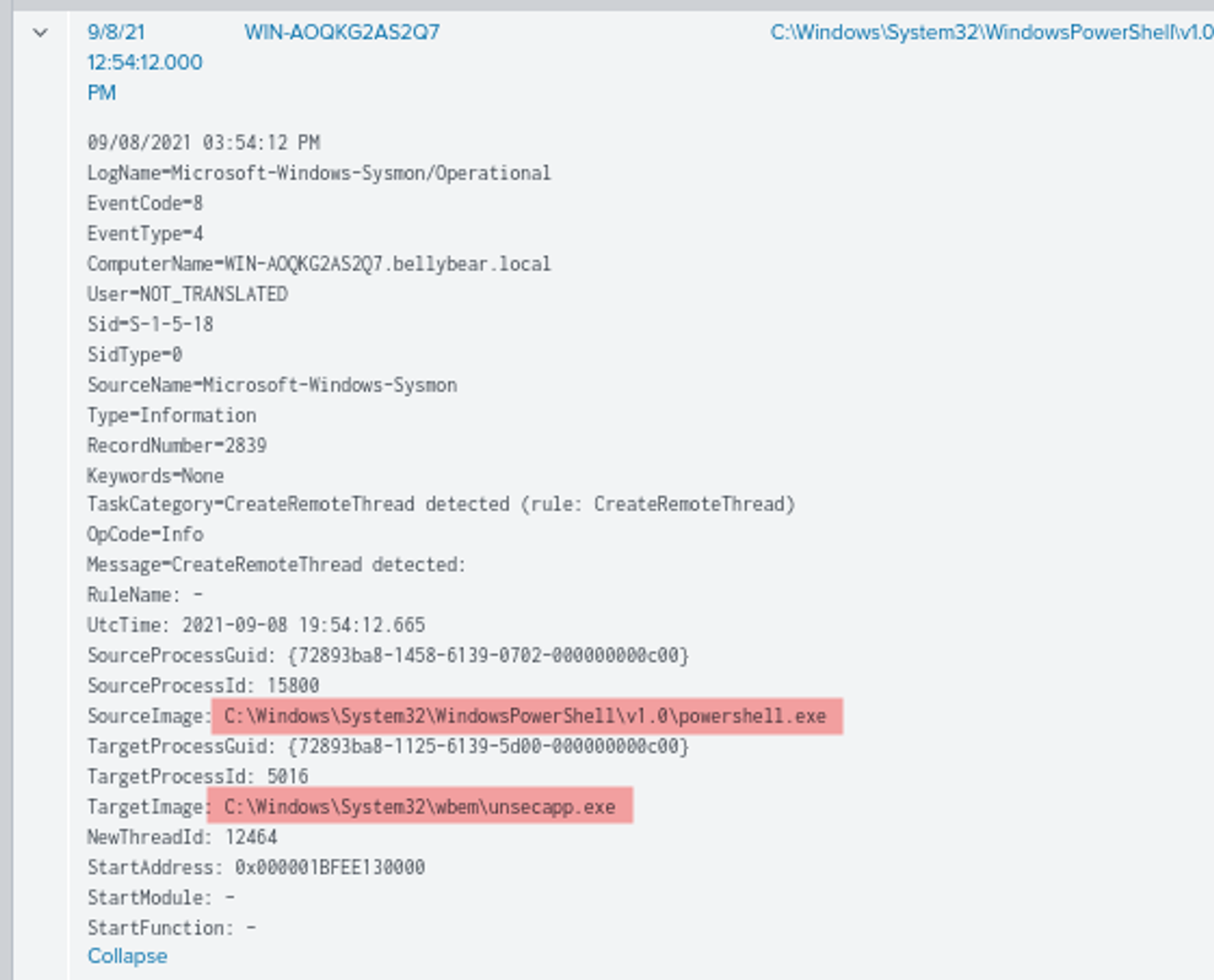
We found this event, The event shows that a remote thread was created in the unsecapp.exe process by powershell.exe. This indicates that powershell.exe was used to inject a thread into the unsecapp.exe process. This is a technique where an attacker, after gaining access to the system, might move from the original process they compromised (in this case, powershell.exe) into a different, often less suspicious process (in this case, unsecapp.exe) to maintain persistence or evade detection.
Question 7: The attacker also retrieved the system hashes. What is the process image used for getting the system hashes?
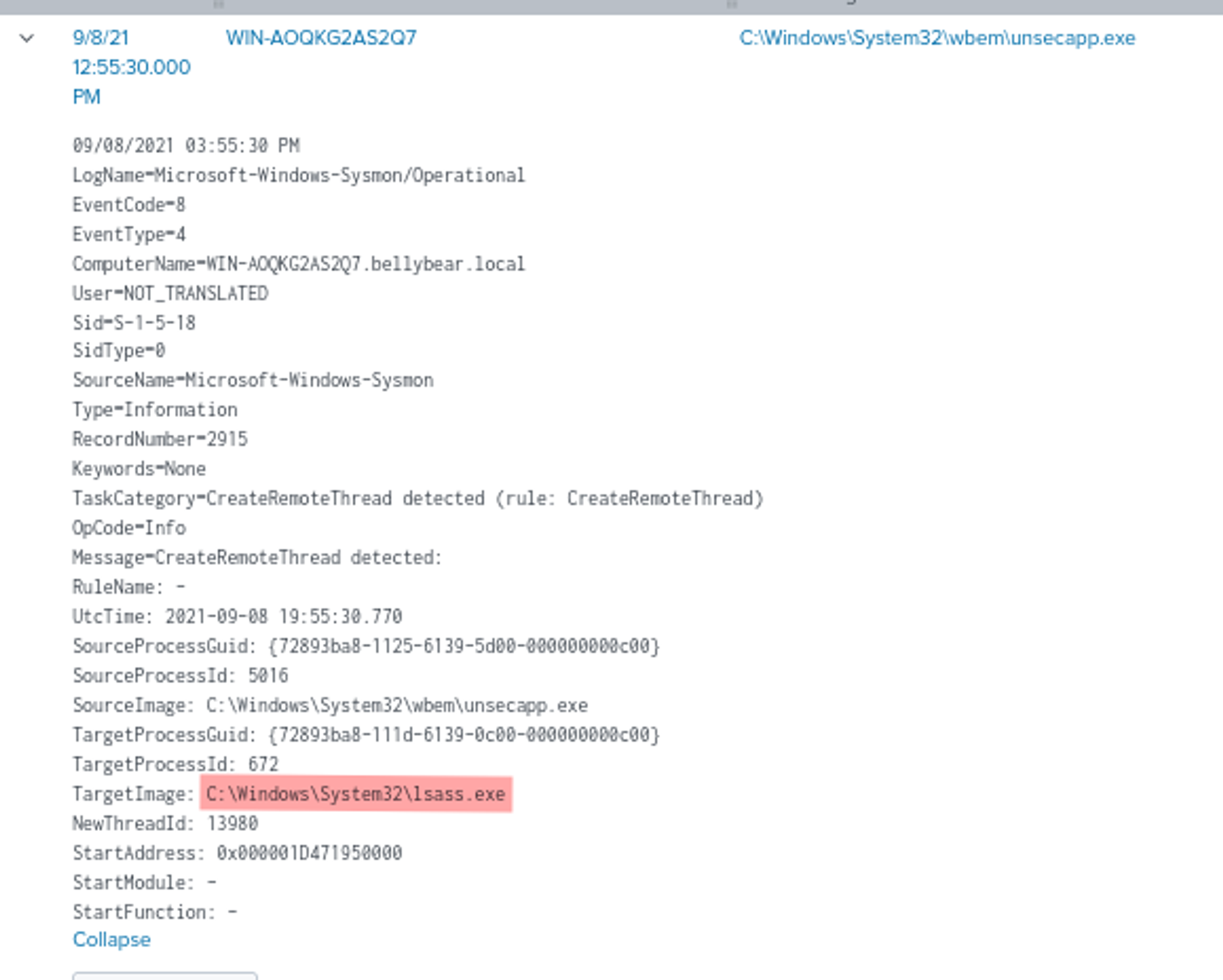
Using the same query from the previous question, we found an event where the Source Process Image is C:\Windows\System32\wbem\unsecapp.exe and the Target Process Image is C:\Windows\System32\lsass.exe. unsecapp.exe is the process that initiated the creation of a remote thread, and lsass.exe is the process into which the thread was injected. This indicates that unsecapp.exe injected a thread into lsass.exe.
Why lsass.exe is the Answer:
- LSASS (Local Security Authority Subsystem Service): The
lsass.exeprocess is responsible for enforcing the security policy on the system. It handles user logins, password changes, the creation of access tokens, and more importantly, it stores sensitive information such as password hashes. - Retrieving System Hashes: Attackers often target
lsass.exeto dump the memory because it contains the system’s password hashes. Tools like Mimikatz, which are used to extract these hashes, typically inject into or interact withlsass.exe. - Process Injection: By seeing that a remote thread was created within
lsass.exe, it strongly suggests that the attacker was attempting to access or manipulate the memory oflsass.exe, which is a common step in retrieving system hashes.
Question 8: What is the web shell the exploit deployed to the system?
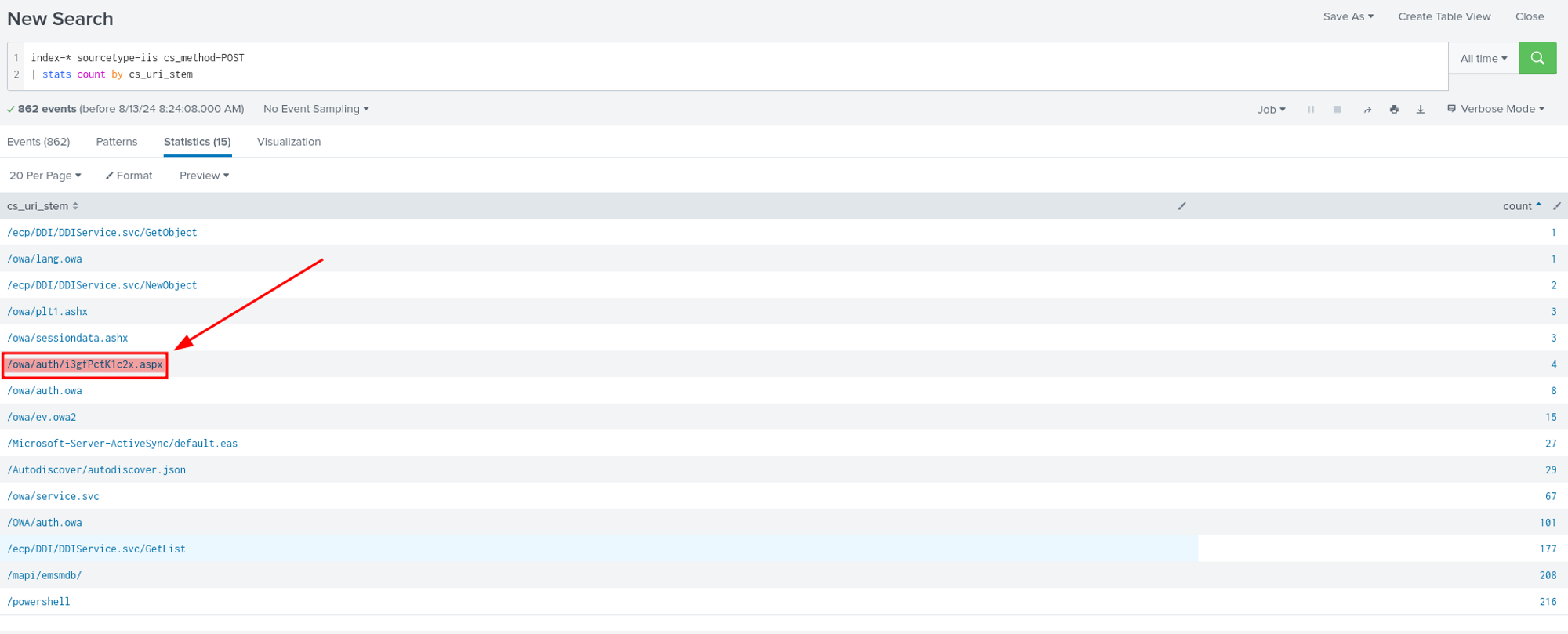
Upon reviewing the sourcetype=iis with the cs_method=POST, we identified an interesting field, cs_uri_stem, which represents the URI path. We discovered an unusual name: The file i3gfPctK1c2x.aspx stands out in the list. Unlike the other URIs, which have familiar names related to Microsoft Exchange services (like /owa/auth.owa or /mapi/emsmdb), this URI appears randomly generated and does not follow typical naming conventions. Random or unusual names like this are often indicative of a web shell or a malicious file deployed by an attacker. Additionally, the .aspx extension indicates that this is an ASP.NET file, which is commonly used in web applications hosted on IIS. Attackers often deploy web shells with .aspx extensions because they can be executed on the server, allowing the attacker to run arbitrary commands or scripts. Therefore, the answer is: i3gfPctK1c2x.aspx.
Question 9: What is the command line that executed this web shell?
Using this query: index=* “i3gfPctK1c2x.aspx” | table CommandLine

we filtered the activities related to i3gfPctK1c2x.aspx and found only one CommandLine, which is exactly what we were looking for.
Question 10: What three CVEs did this exploit leverage?
We used google to answer this last question, and a lot of try, we found the answer on this article: https://www.securin.io/articles/is-conti-ransomware-on-a-roll/
We hope you enjoy this writeup, Happy Grinding Shinkens!


 ShinkenSec
Leave a comment