
Author: Nanj
https://app.hackthebox.com/sherlocks/Campfire-1/play
Sherlock Scenario:
Alonzo Spotted Weird files on his computer and informed the newly assembled SOC Team. Assessing the situation it is believed a Kerberoasting attack may have occurred in the network. It is your job to confirm the findings by analyzing the provided evidence. You are provided with: 1- Security Logs from the Domain Controller 2- PowerShell-Operational Logs from the affected workstation 3- Prefetch Files from the affected workstation
First, we will convert the Evtx files to CSV files so that we can analyze them using the Timeline Explorer tool by Eric Zimmerman.
To parse an .evtx file and output it as a CSV, use the following command:
./EvtxECmd.exe -f "location of .evtx file" --csv "location where you want to save the file" --csvf Filename.csv
I also export the prefetch data to CSV using PECmd.exe with the following command:
./PECmd.exe -d “(prefetch directory)” –csv (output location) –csvf prefetch.csv (output file name)
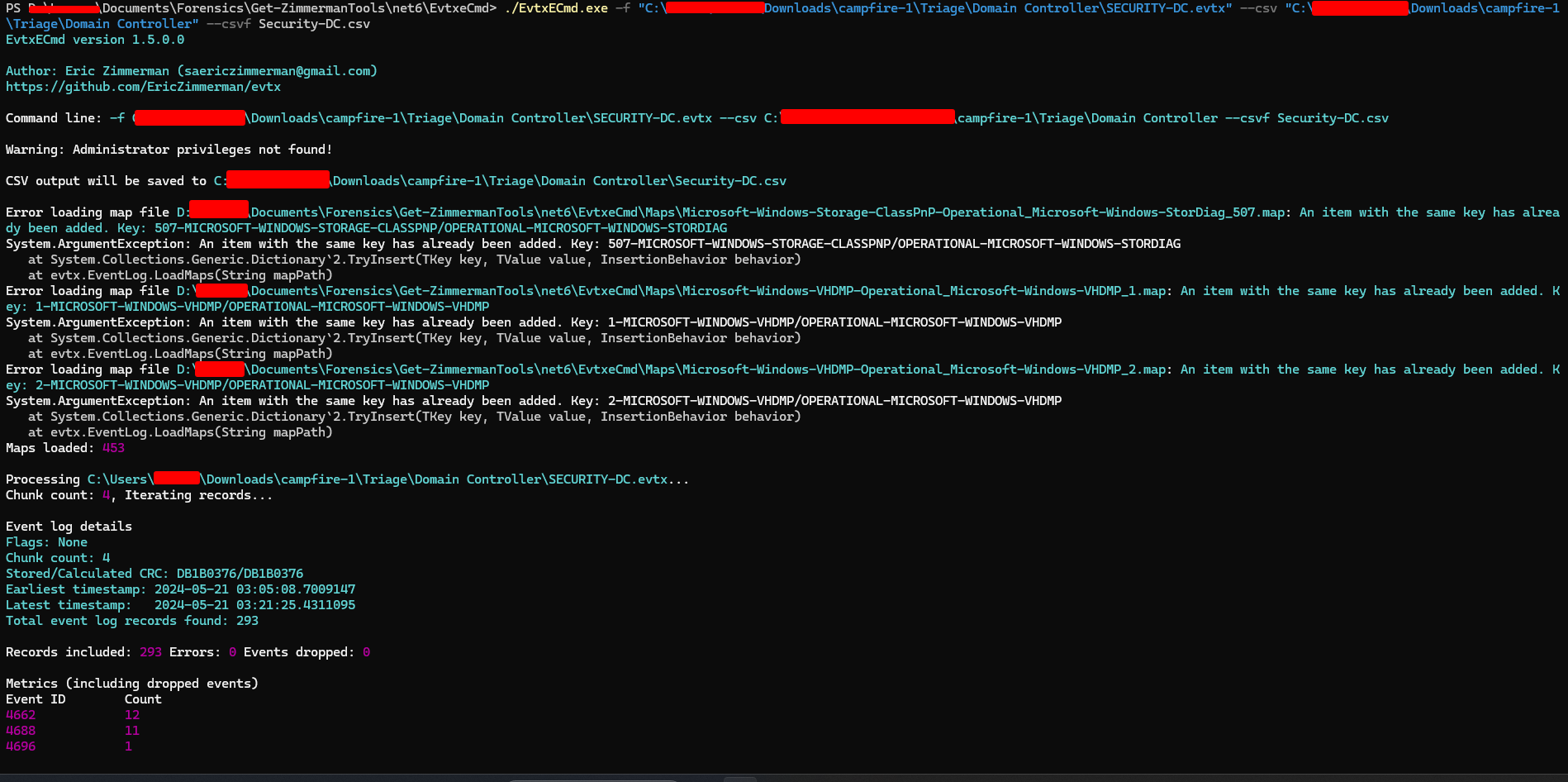


Let’s start the investigation by importing the CSV files into Timeline Explorer.
For Task 1: Analyzing Domain Controller Security Logs, can you confirm the date and time when the kerberoasting activity occurred?

To find the answer, I examined all Kerberos activity in the SECURITY-DC evtx file and identified a notable event: Event 4769 (A Kerberos service ticket was requested), which used RC4 encryption with type 0x17. This type of encryption can indicate potential malicious activity, as attackers may opt for this encryption type to facilitate password cracking. The answer to question 1 can be found in the screenshot.
In legitimate Kerberos ticket operations, encryption types such as 0x12 or 0x11 are typically used.
However, if an event shows an encryption type of “0x17” (RC4 encryption), it should raise suspicion and warrant further investigation, as this could indicate an attempt to compromise the password. Additionally, it is worth noting that service tickets requested by non-service accounts are unusual. In Windows, accounts ending with a “$” are typically service or machine accounts that frequently request service tickets from domain controllers. To refine our analysis, we can filter out requests originating from service names that start with “$”, as these are likely computer accounts.
Lets crosscheck with Event Viewer:

Task 2: What is the Service Name that was targeted?
Task 3: It is really important to identify the Workstation from which this activity occurred. What is the IP Address of the workstation?
For Tasks 2 and 3, the answers can be found in the screenshot above.
Task 4: Now that we have identified the workstation, a triage including PowerShell logs and Prefetch files are provided to you for some deeper insights so we can understand how this activity occurred on the endpoint. What is the name of the file used to Enumerate Active directory objects and possibly find Kerberoastable accounts in the network?
For Task 4, I examined the PowerShell EVTX logs to identify relevant events. One notable entry was Event ID 4100, which contained the following error message:
‘Error Message = File C:\Users\alonzo.spire\Downloads\powerview.ps1 cannot be loaded because running scripts is disabled on this system. For more information, see about_Execution_Policies at https:/go.microsoft.com/fwlink/?LinkID=135170. Fully Qualified Error ID = UnauthorizedAccess. Recommended Action =’
From this, we can determine the script that the attacker attempted to use.

Since the attacker was unable to execute the script, their next step was:

The attacker then successfully executed the script
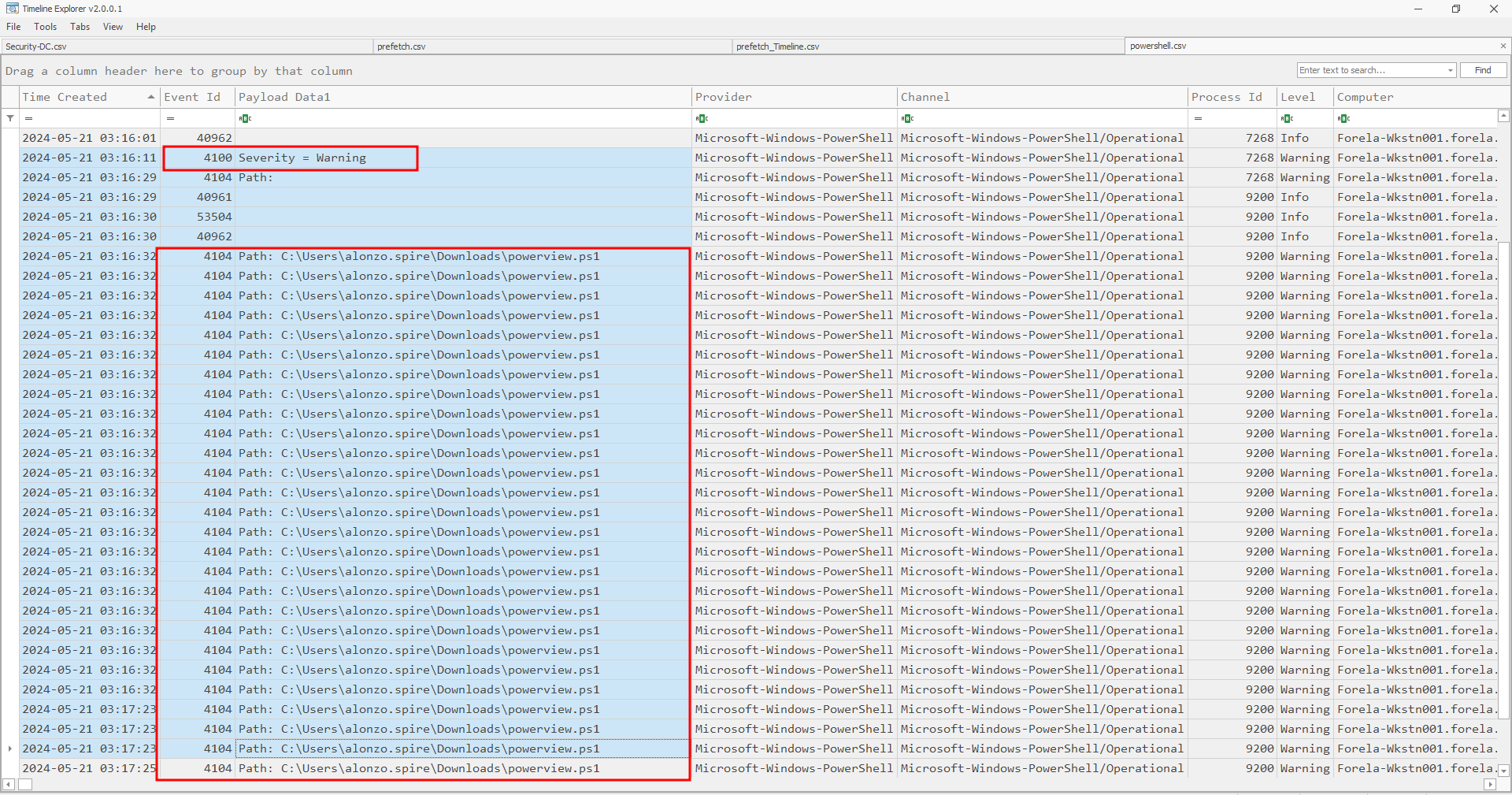
Task 5: When was this script executed?

Task 6: What is the full path of the tool used to perform the actual kerberoasting attack?
By analyzing the prefetch data, we can identify the activities that were executed. Additionally, using the CSV file parsed with PECmd, we can cross-check the timing of the kerberoasting attack from Task 1. The screenshot below shows when the tool was initiated and its full path.
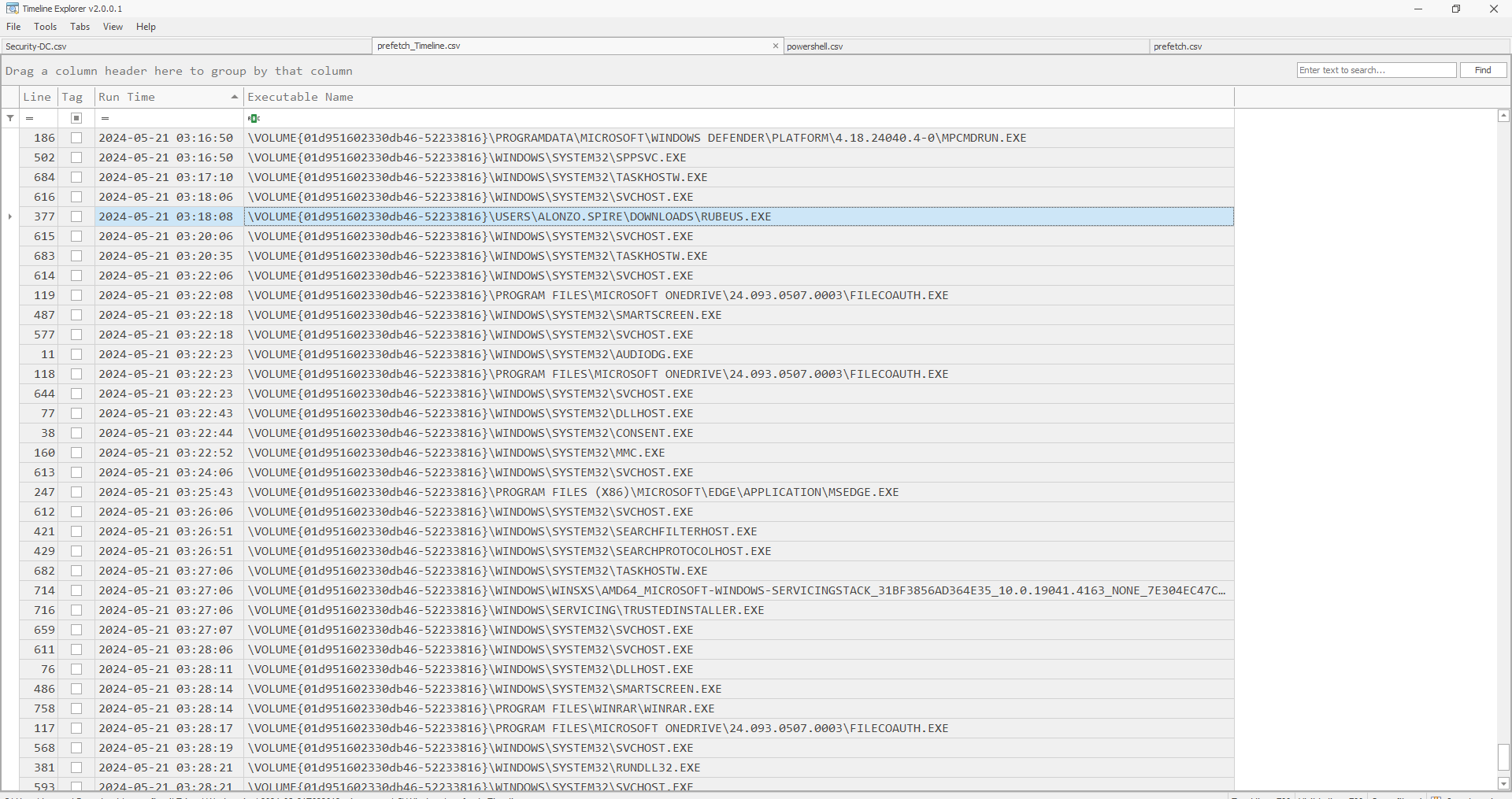
Task 7: When was the tool executed to dump credentials?
The answer can be found in the screenshot below, under Task 6
Thanks for Reading! We hope you enjoy this writeup, Happy Grinding Shinkens!


 ShinkenSec
Leave a comment